How do I request a W-form from a vendor in Inkle Books?
Inkle Books lets you request a W-9 or W-8 directly from a vendor, emails them a secure link to complete it, and files the submitted form on their profile. This matters because you need the form before you file information returns at year end, and chasing forms from vendors you paid ten months ago is the version of this that fails.
You'll find it under Expenses → Vendors in the left nav.
Why you need a W-form from a vendor
When you pay a vendor, the form you collect depends on where they are:
W-9 For US individuals and entities. It gives you their legal name, entity type, and taxpayer identification number, which is what you need to file a Form 1099 for them at year end. Without a valid TIN you may have to apply backup withholding to their payments.
W-8BEN and W-8BEN-E For foreign individuals and foreign entities respectively. These establish that the vendor is not a US person and whether a tax treaty reduces the rate you're required to withhold on US-source payments.
Collect the form when you onboard the vendor, not at year end. The form is what determines how you pay them and what you withhold, so having it late means the payments already went out under assumptions you hadn't verified.
Note this is the opposite direction from attaching a W-form to an invoice. There, you're the one being paid and you send your own form. Here, you're paying, and you collect the vendor's.
How do I request a form from an existing vendor?
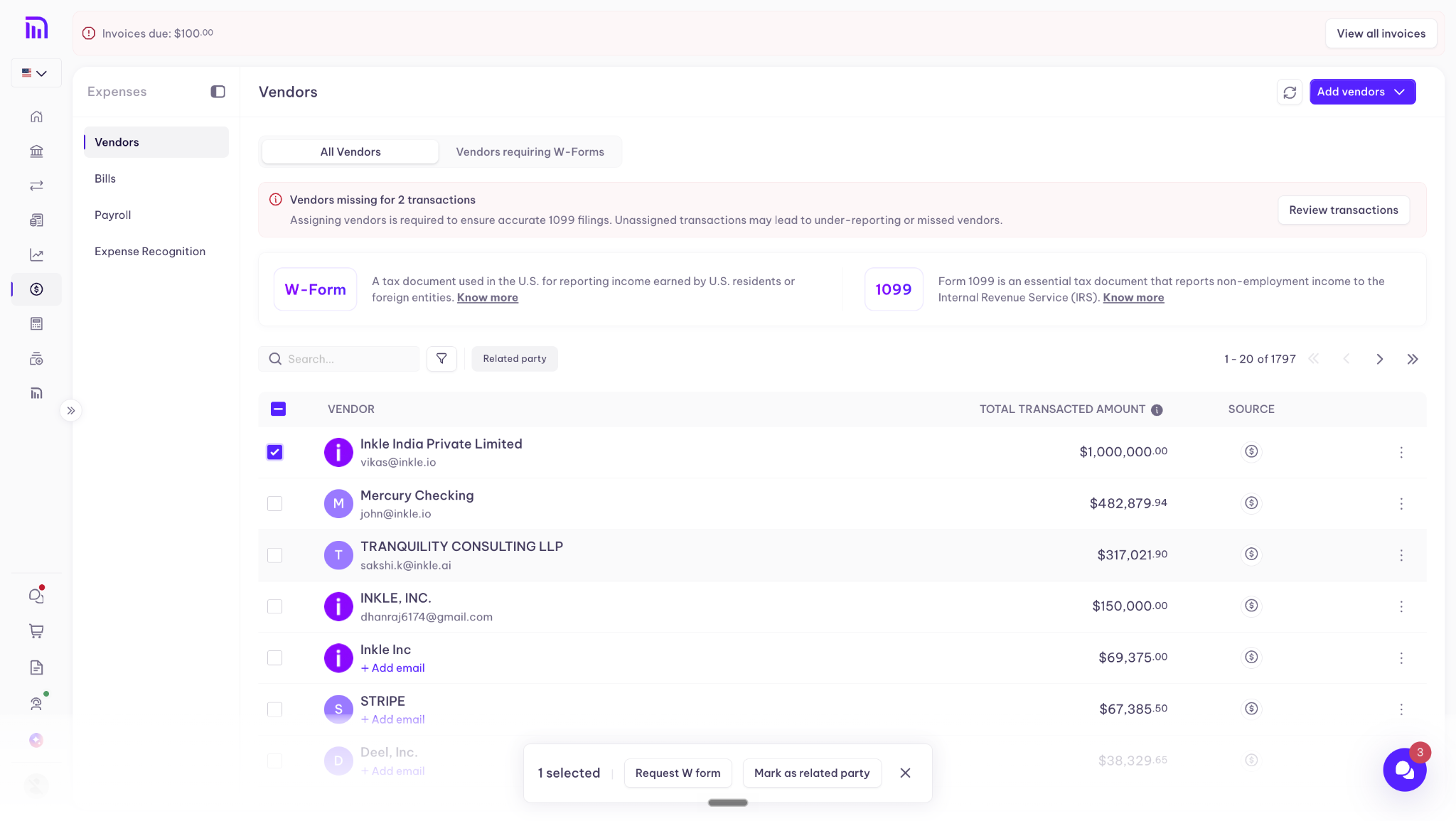
Step 1: Open Vendors
- Open the Expenses tab and select Vendors
- Use the search bar to check whether the vendor is already in your records
Step 2: Open their profile
- Click the vendor's name to open their profile
- Go to the W-Form tab
Step 3: Send the request
- Click Request W-Form
How do I add a new vendor and request one?
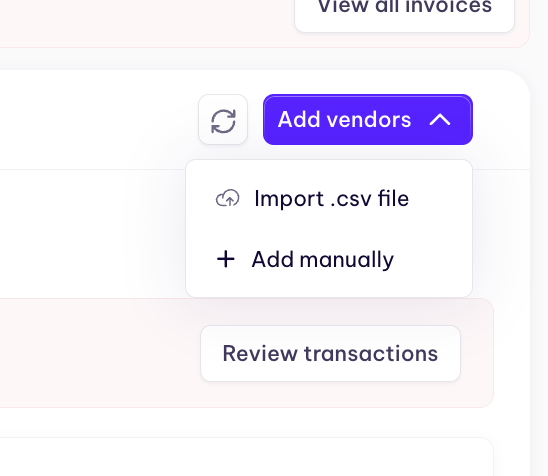
Step 1: Add the vendor
- Click Add Vendor at the top right
- Enter their name and email address
- Click Save
Step 2: Send the request
- Click the vendor's name to open their profile
- Go to the W-Form tab and click Request W-Form
What happens after you send the request
Inkle Books emails your vendor a secure link with instructions for completing and submitting the form. You don't have to send anything yourself or follow up with a PDF.
When the vendor submits, the form populates automatically on their profile under the W-Form section, where you can view it alongside the rest of their record.
FAQ
Which form should I request, a W-9 or a W-8?
It depends on the vendor, not on you. US individuals and entities complete a W-9. Foreign individuals complete a W-8BEN, and foreign entities complete a W-8BEN-E.
Does the vendor need an Inkle account to submit their form?
No. They receive a secure link by email and complete the form from there.
Where does the completed form go?
It populates automatically on the vendor's profile, under the W-Form section.
Can I request a form from a vendor I've already been paying?
Yes. Search for them in Vendors, open their profile, and request the form from the W-Form tab. Collecting it earlier is better, but late is better than never.
Still have questions?
Reach out to our support team if you have any additional questions regarding filing.