How to use Expense Recognition in Inkle Books?
Expense Recognition splits and tracks expenses across months, even when the payment happens upfront or later. It shows what you have already paid, what has been recognized as an expense, and what is still pending. This matters because the month you pay a bill is often not the month the expense belongs to, and without recognition an annual payment lands as a single lump in your P&L instead of spreading across the periods it covers.
You'll find it under Expenses → Expense Recognition in the left nav, with Overview and Expense Waterfall as tabs. Enable it first in Books Settings.
What prepaid, accrued, and deferred mean
Expense Recognition tracks three situations where cash timing and expense timing come apart:
Prepaid - You paid in advance for something you will consume over time. An annual software subscription paid in January is prepaid: the cash left in January, but the expense belongs to all twelve months.
Accrued - You incurred the cost but have not paid yet. The expense belongs to the period you used the service, not the later month the invoice settles.
Deferred - The expense is recognized in a later period than the transaction, which is what makes reconciliation hard when it is tracked by hand.
How do I enable Expense Recognition?
Before using Expense Recognition, you need to enable it.
Step 1: Go to Books Settings
- Open Books Settings
- Make sure your accounting method is set to Accrual
Step 2: Enable auto-defer and recognize expense
- Turn on Auto-Defer & Recognize Expense
- Choose the start date
- Click Enable
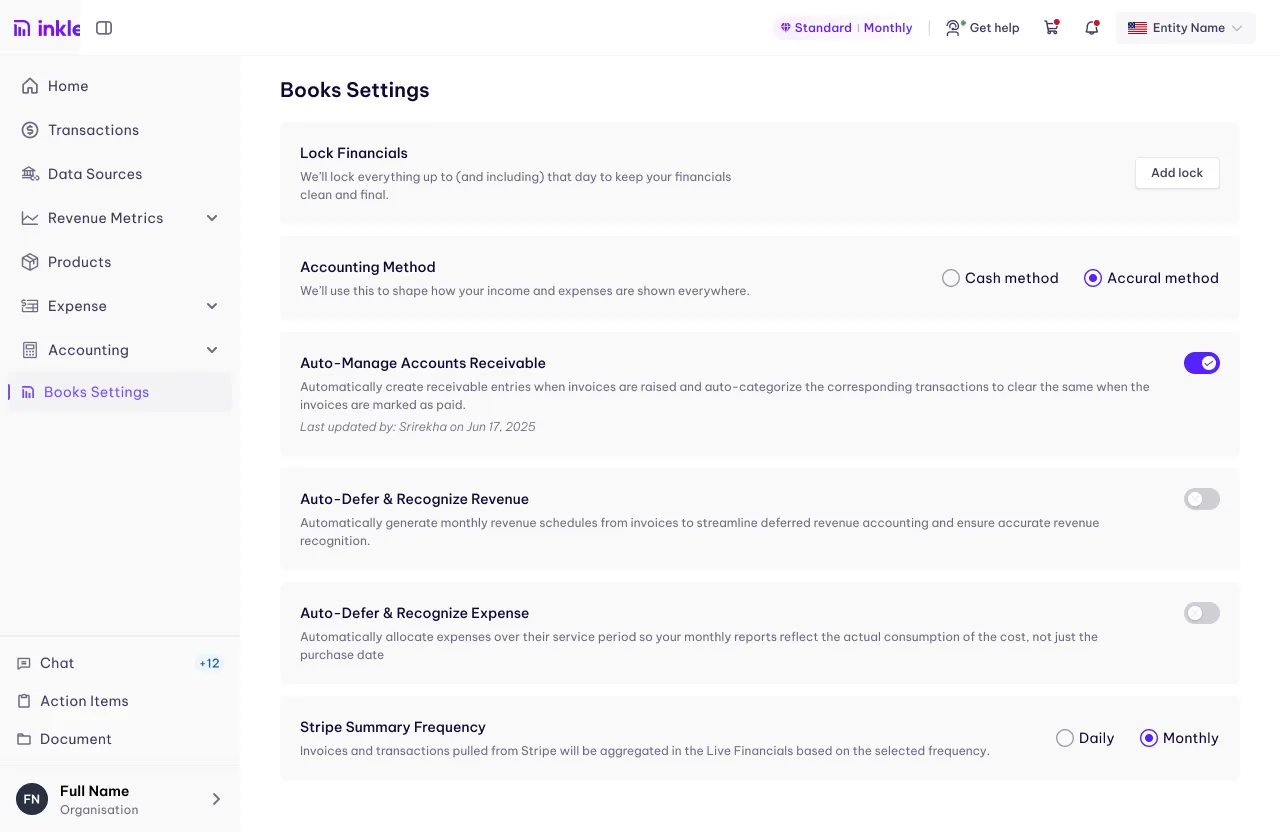
Once enabled, Inkle Books will automatically create expense schedules for eligible transactions. If you turn this off later, existing schedules will stay as they are.
What the two views show
Expense Recognition gives you the same data at two levels of detail.
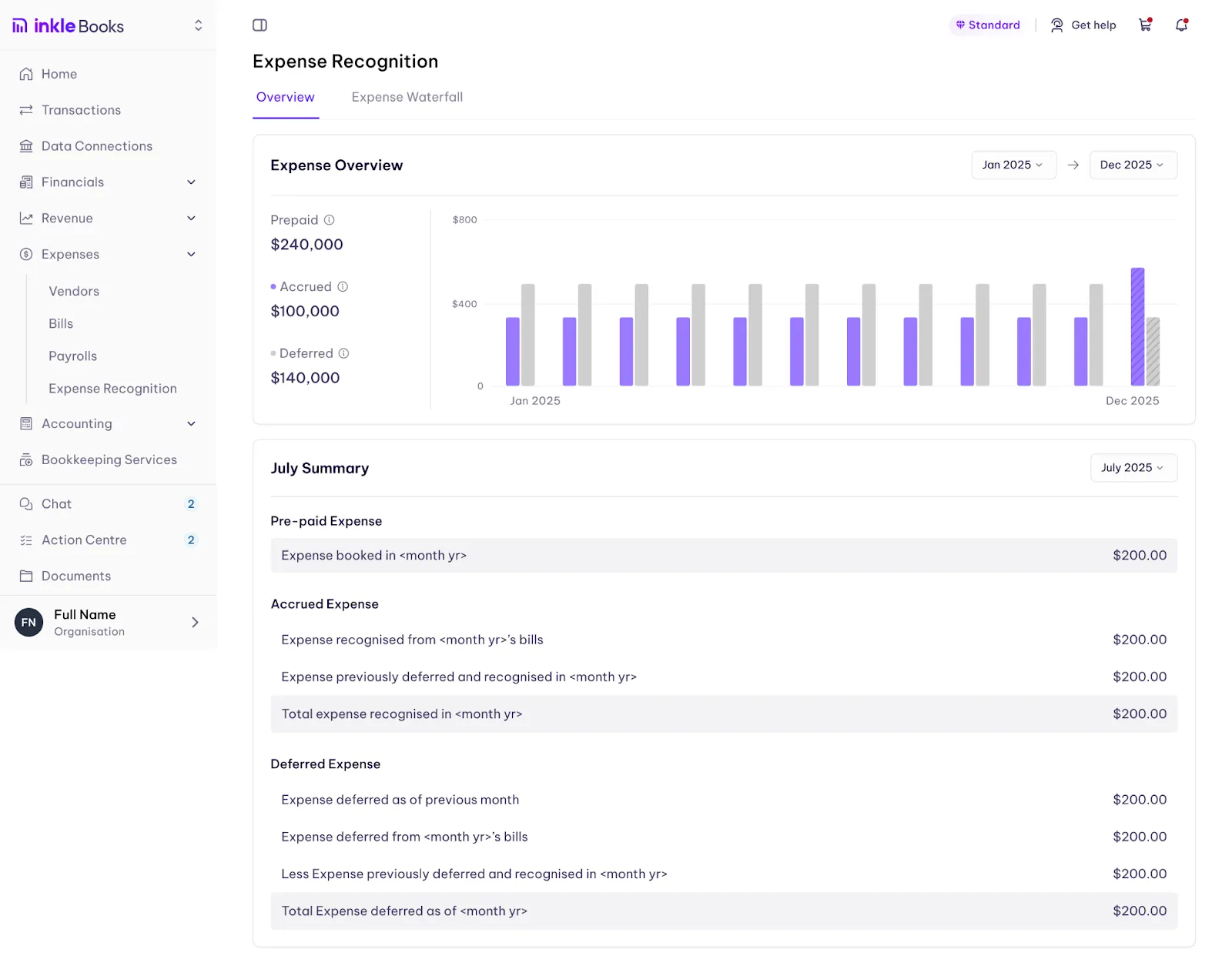
1. Overview
The Overview tab leads with your three headline totals, Prepaid, Accrued, and Deferred, alongside a chart showing how they move across months. Each total carries an info icon with a short definition.
Use this view to:
- Understand total prepaid, accrued, and deferred expenses
- See how expenses move across months
- Get a quick summary without opening reports
This view is best for high-level review.
2. Expense Waterfall
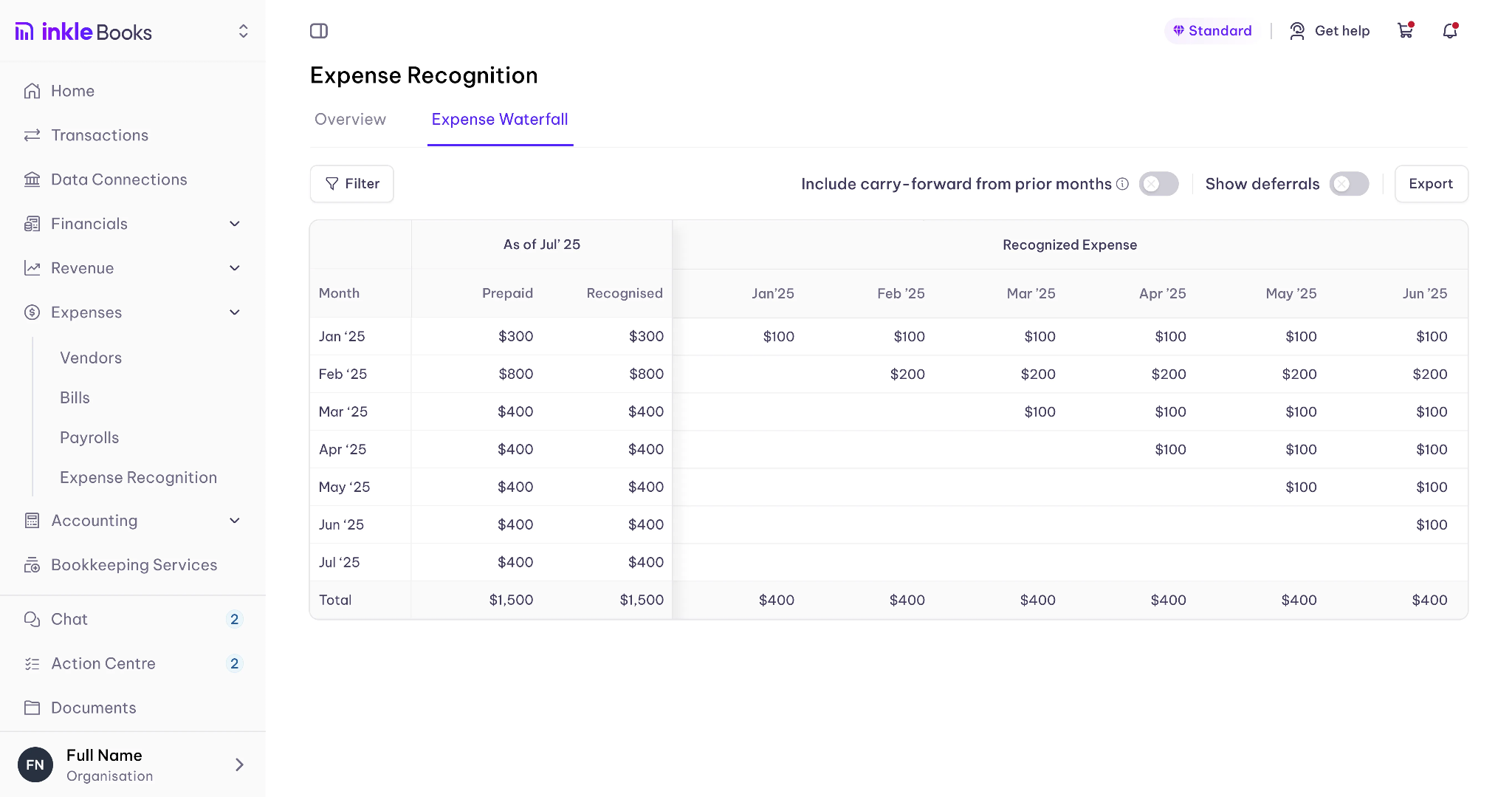
The Expense Waterfall shows a detailed month-by-month breakdown. It helps you see:
- When an expense was paid
- How much is recognized in each month
- Which invoices contribute to each period
You can click into a month to view the related invoices.
How to read the Expense Waterfall
Month - The period being reviewed.
Prepaid - Amounts paid in advance.
Recognized - Total expense recognized till that month.
Recognized expense by month - How much expense hits each month.
This makes it easy to track how a single payment is spread over time.
When should I use each view?
Use Overview when you want a quick snapshot, you are reviewing totals, or you prefer charts.
Use Expense Waterfall when you want exact numbers, you need a monthly breakdown, or you want to trace expenses back to invoices.
FAQ
Do I need to be on accrual accounting to use Expense Recognition?
Yes. Set your accounting method to Accrual in Books Settings before enabling it.
What happens if I turn Expense Recognition off later?
Existing schedules stay as they are.
Which transactions get expense schedules?
Inkle Books automatically creates schedules for eligible transactions once the feature is enabled.
Can I see which invoices make up an expense in a given month?
Yes. Click into a month in the Expense Waterfall to view the related invoices.
Do I still need spreadsheets for prepaid and accrued expenses?
No. Expense Recognition removes the manual spreadsheets and adjustments, so your expenses stay aligned with time, not just payments.
Still have questions?
Reach out to our support team if you have any additional questions regarding filing.