How do I connect HubSpot to Inkle Books?
Connecting HubSpot pulls your customer invoices into Inkle Books and automatically creates the journal entries that record Accounts Receivable and Revenue. This matters because an invoice raised in your CRM is already revenue under accrual accounting, and without the connection it sits in HubSpot until someone re-enters it on the accounting side, usually at month end and usually late.
You'll find it under Data Sources in the left nav.
What Inkle records from a HubSpot invoice
When an invoice comes across, Inkle creates a journal entry with two sides:
Accounts Receivable - Money your customers owe you for work already billed. It sits on your balance sheet as an asset until the invoice is paid.
Revenue - The income from the invoice, recorded on your income statement.
Under accrual accounting, both are recorded when the invoice is raised, not when the cash arrives. That's the point of the connection: your revenue and receivables track your sales activity as it happens, rather than lagging behind it.
1. Create your account on Inkle
We have explored this topic in detail here.
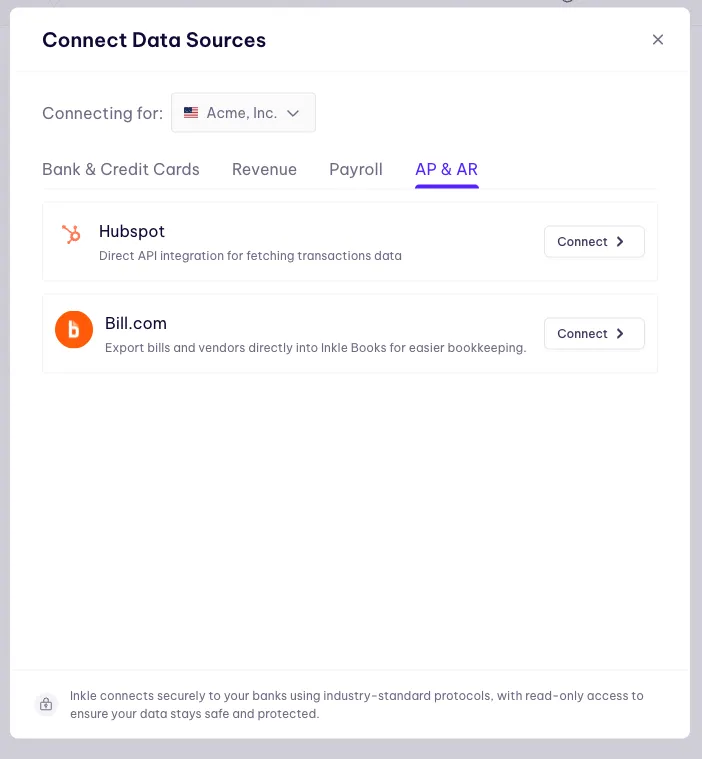
2. Connect your HubSpot account
Click on the big plus icon on the data sources page on Inkle Books to connect your HubSpot account. You will be redirected to HubSpot's web page to provide your credentials and allow Inkle to access some read-only data. You are redirected back to the Data Sources page after confirmation.
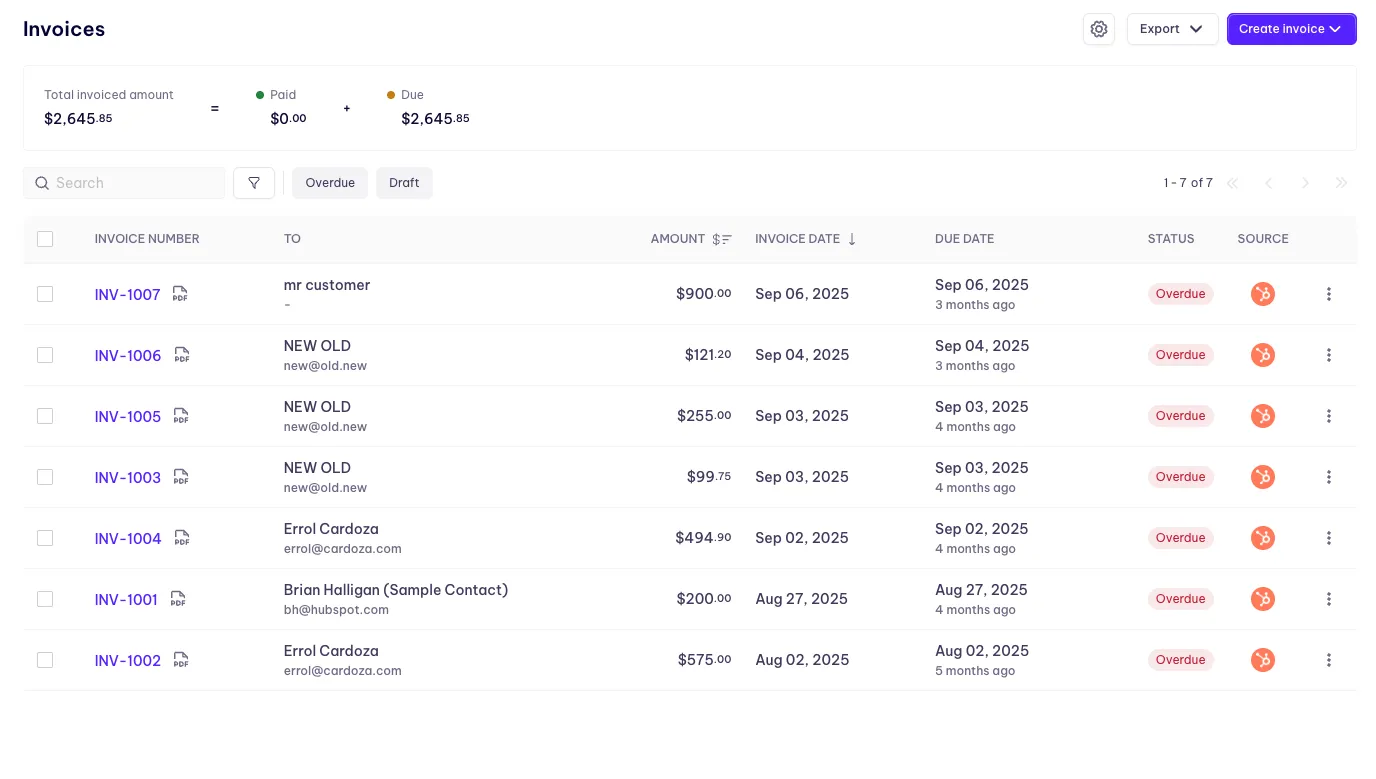
3. Access HubSpot invoices directly from Inkle
Inkle makes it really easy for HubSpot users to handle their accounting by fetching the invoices directly from the platform and making them available for verification and reconciliation.
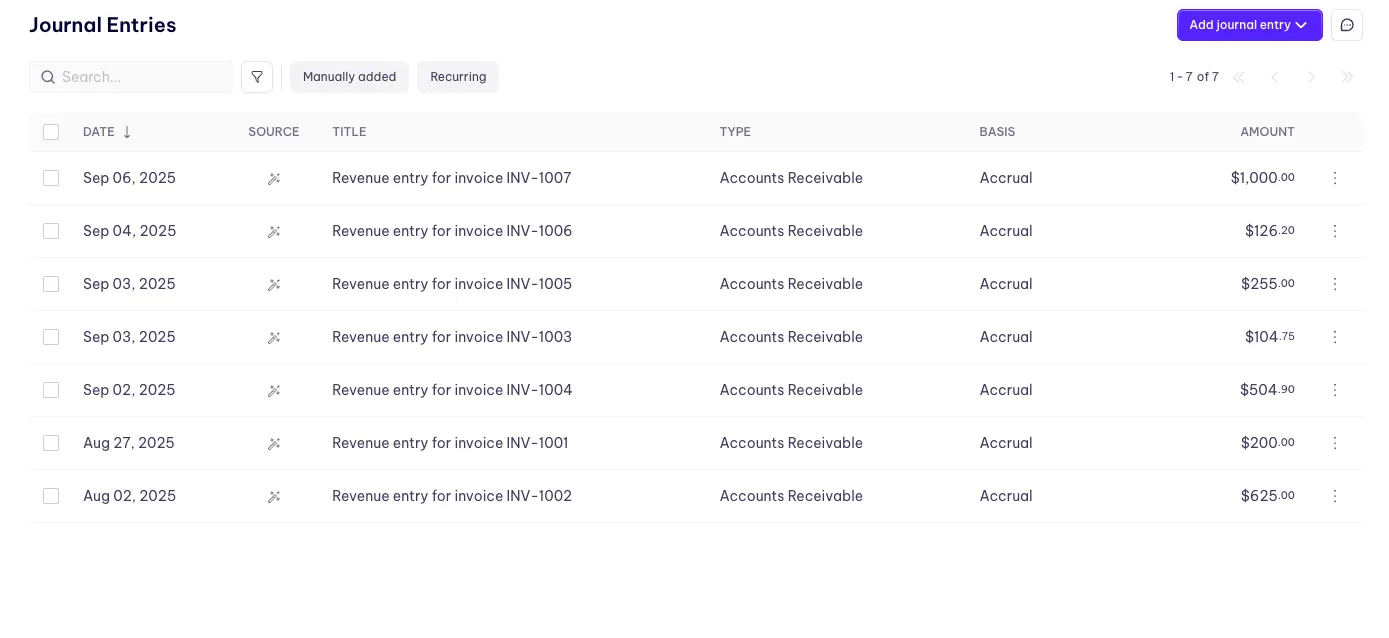
4. Revenue and AR starts populating from HubSpot invoices
Once the connection is live, Inkle starts fetching the invoices and automatically creates Journal Entries to record Accounts Receivable and Revenue based on the invoice data
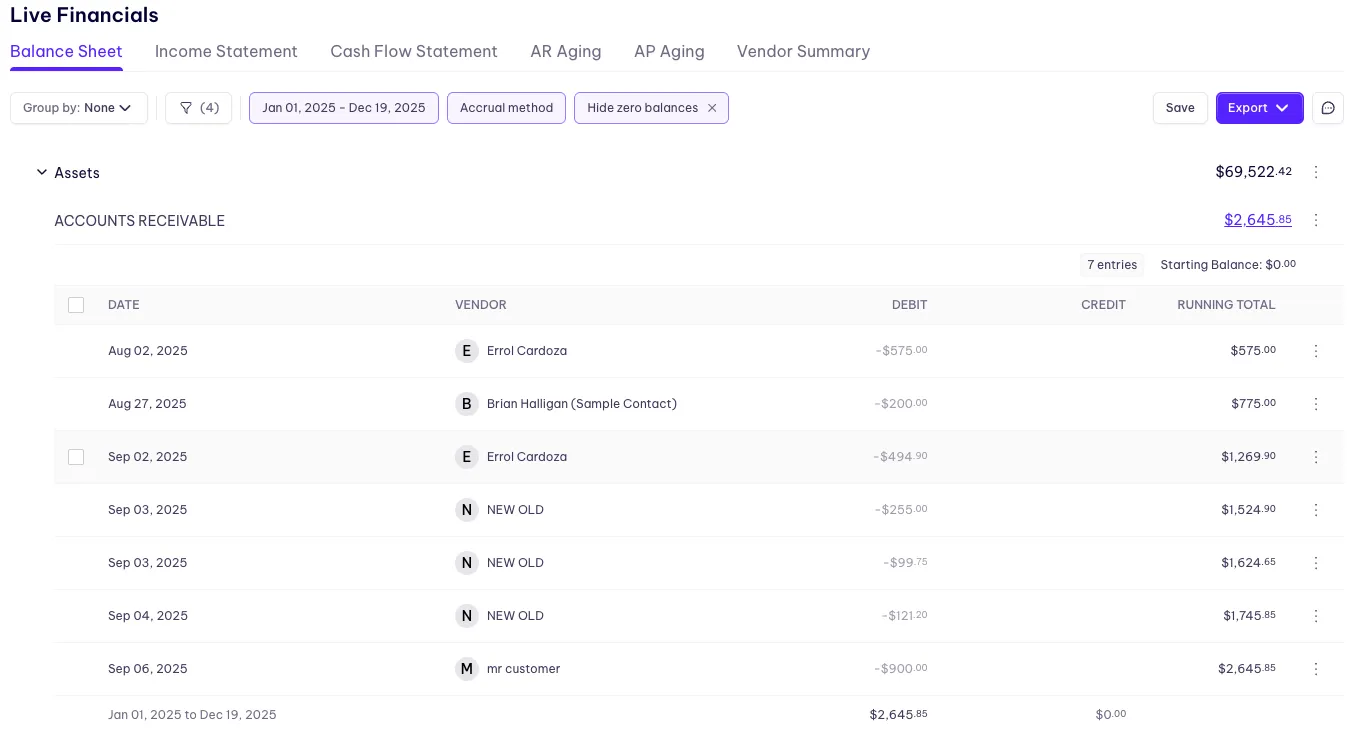
5. Review the invoices and generate the financials in the live financials section
After verification of invoice data and categories, head over to the live financials section to see the prepared financials.
What happens once the connection is live
Inkle starts fetching your invoices from HubSpot and generating the AR and Revenue entries from the invoice data.
The invoices arrive for verification and reconciliation. You check the invoice data and the categories on the generated entries, and once verified, they feed your statements in Live Financials.
The entries are generated, not final. Nothing bypasses your review.
What access does Inkle get?
Read-only access to your invoice data. Inkle cannot create, edit, or delete records in HubSpot, and it does not send invoices on your behalf.
Before you connect
Pick one place to raise invoices. If you invoice from both HubSpot and Inkle Books, the same customer invoice exists in two systems and you'll book the revenue twice.
Check whether your invoices need revenue recognized over time. An annual contract invoiced upfront isn't twelve months of revenue on the day it's raised. If your billing works that way, the entries this creates will need adjusting.
Check which entity your HubSpot invoices belong to. If your HubSpot instance covers more than one legal entity, invoices from the wrong entity shouldn't post to these books.
FAQ
Does connecting HubSpot change anything in my CRM?
No. The connection is read-only. Inkle reads invoice data and cannot create, edit, or delete records in HubSpot.
Do I still have to review the entries Inkle creates?
Yes. Inkle generates the AR and Revenue journal entries from the invoice data, but you verify the invoice details and categories before they flow into your financials.
What happens if I invoice from both HubSpot and Inkle Books?
You'll record the same revenue twice. Choose one system to raise customer invoices from.
Where do HubSpot invoices show up in Inkle?
They arrive for verification and reconciliation, and once verified they feed your statements in Live Financials.
Still have questions?
Reach out to our support team if you have any additional questions regarding filing.