How to generate a W-9 for your entity on Inkle
You can easily generate a W-9 for your entity on Inkle. This is available in Tax application.
Steps to generate a W-9
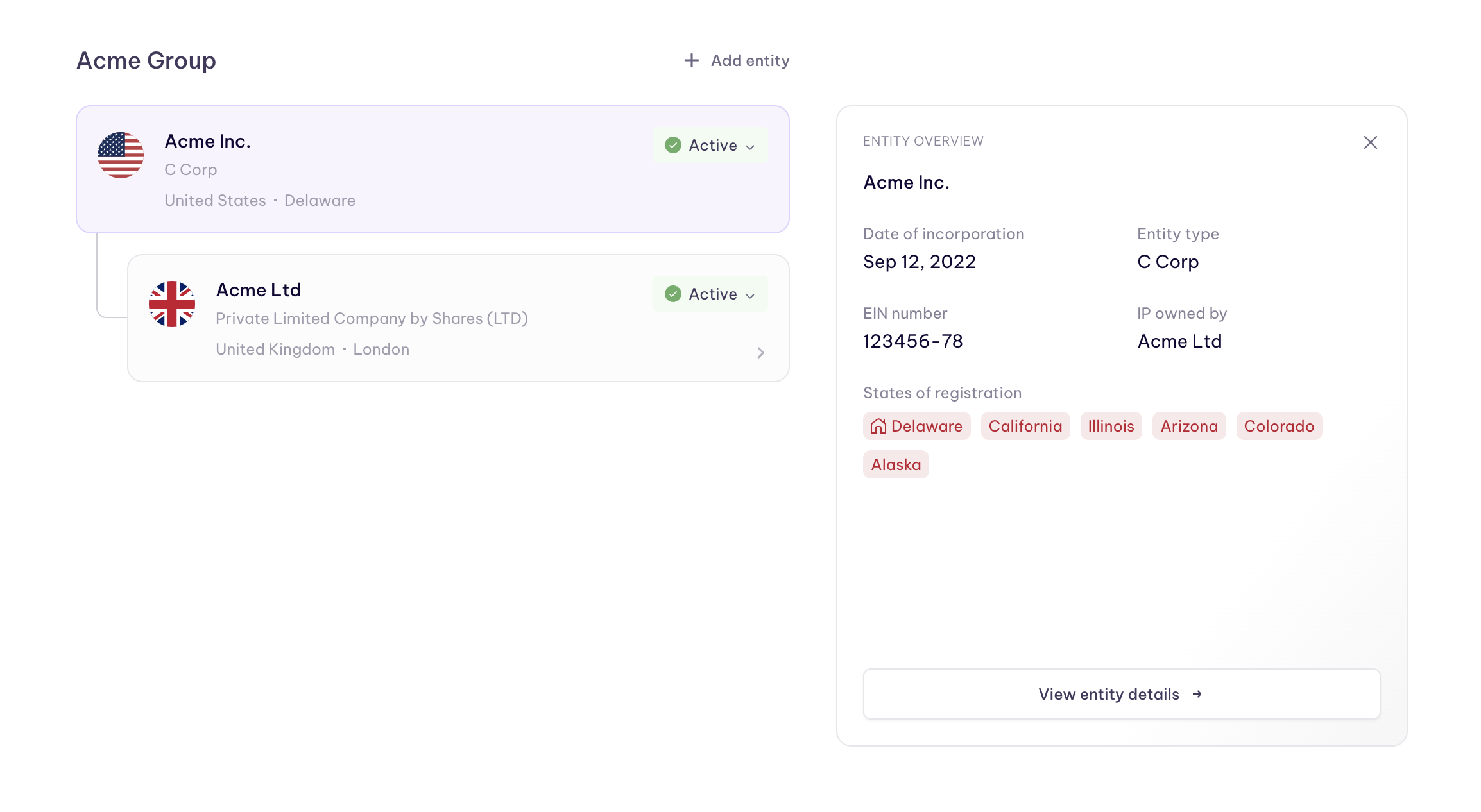
- Go to My Entities
- Click on the entity for which you want to generate the W form
- Click on view entity details
- Scroll down to the Entity Documents section
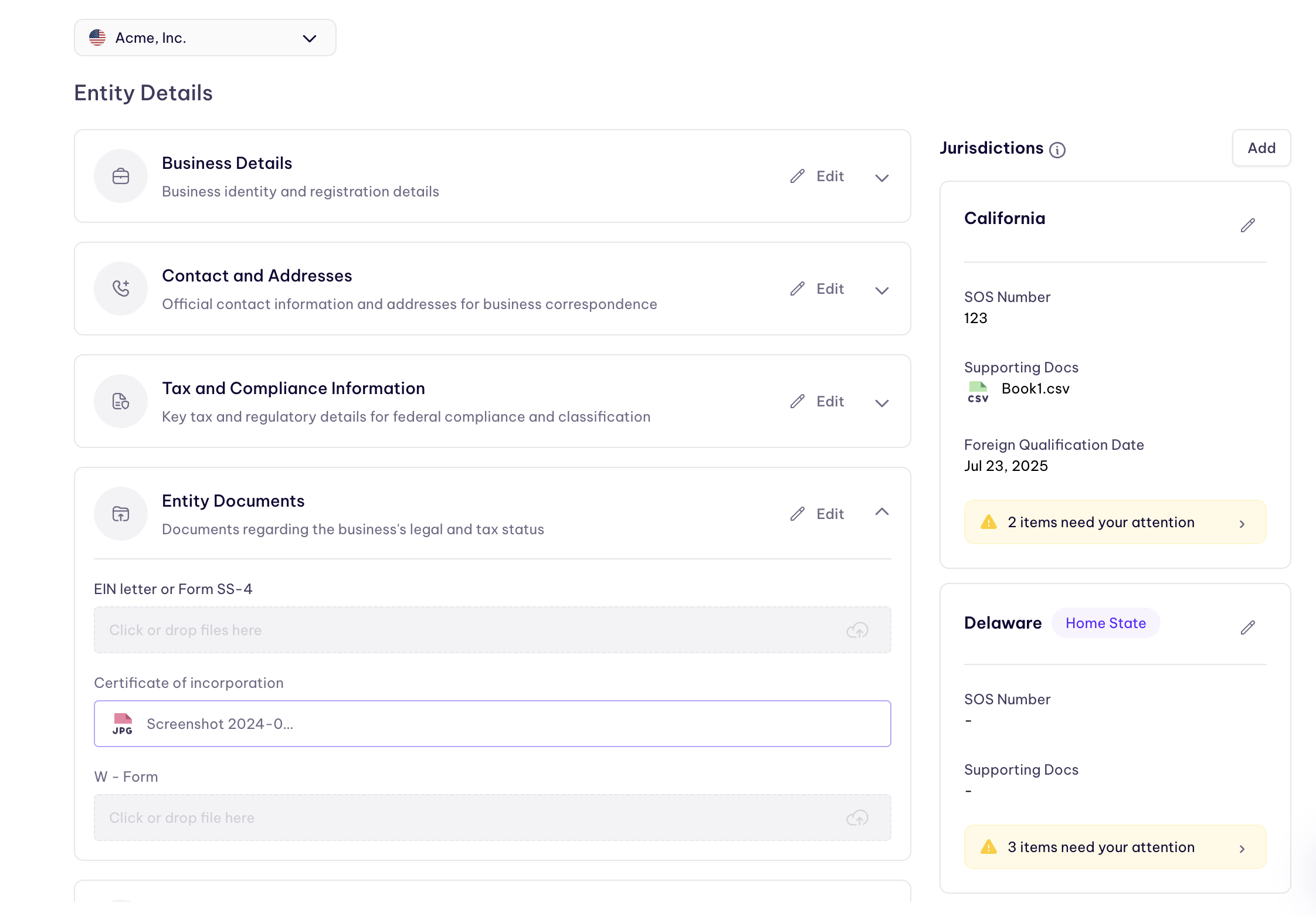
5. Click on Edit button on top right
6. Click on generate button to generate the W-9
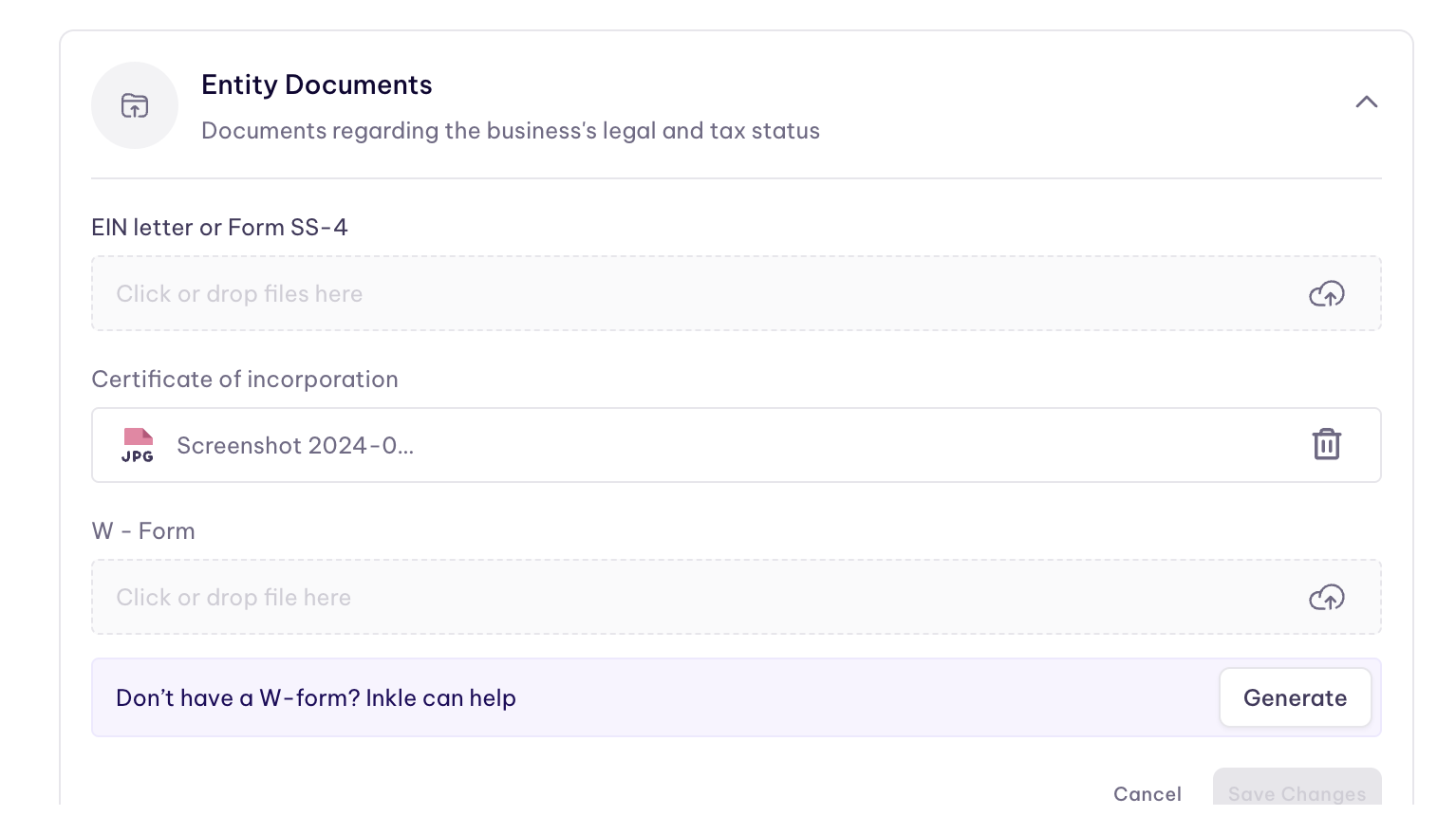
7. Once submitted, click on download to download the e-signed W9
Still have questions?
Reach out to our support team if you have any additional questions regarding filing.