Starting with Registered Agent
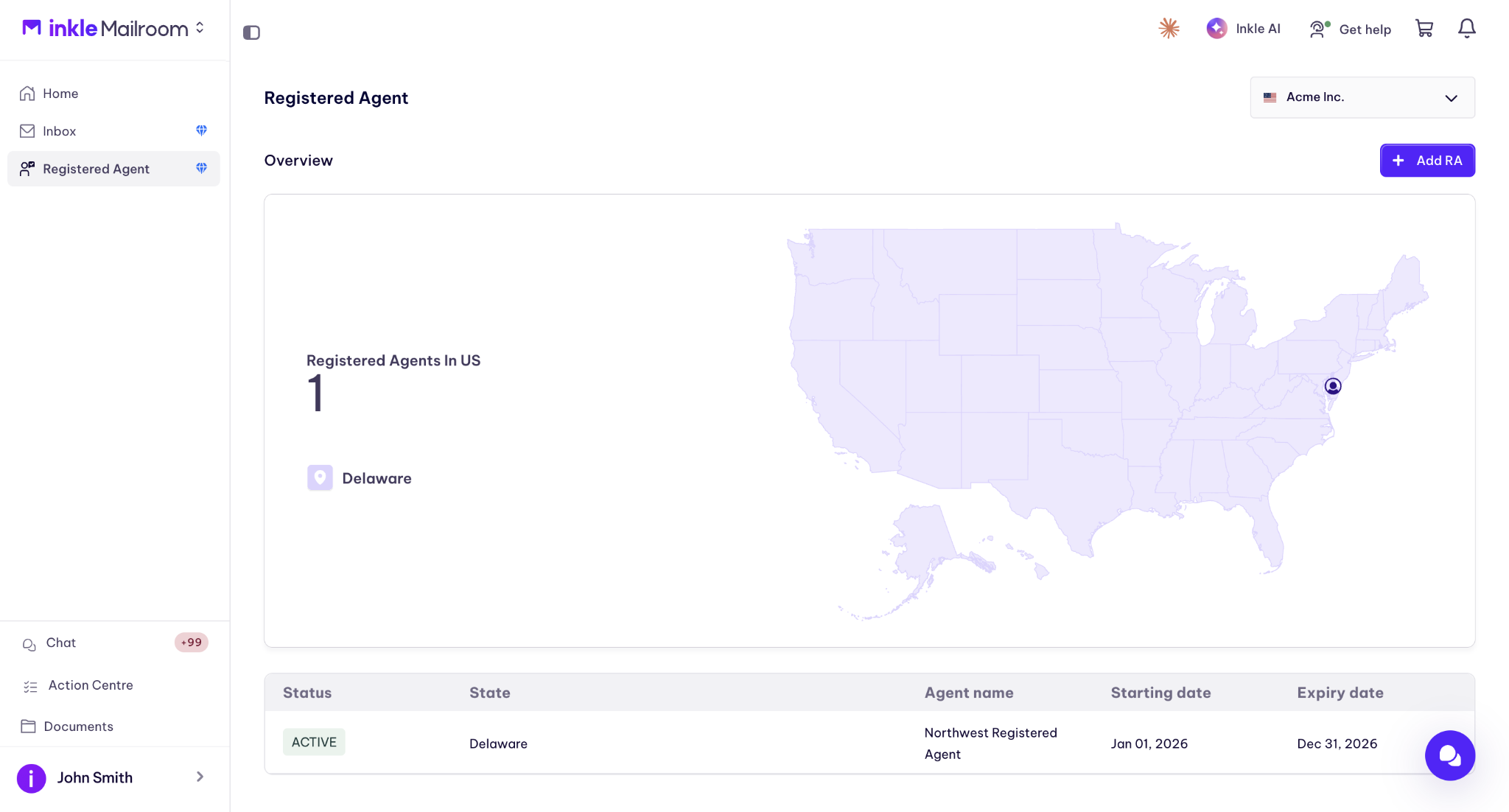
1. Open the Registered Agent card. From Home, select Get started under Inkle Registered Agent.
2. Choose your state. Registered agent is available in all US states as a yearly subscription. Pick a state from the dropdown and the subscription cost updates to match. Delaware is $60/year.
3. Select Pay & subscribe. This takes you to checkout.
To add coverage in more states later, repeat the same flow and select a different state each time.
Completing checkout
The Subscription screen handles payment through Stripe. You'll confirm:
- Payment method. Choose a saved card or add a new one. Tick Mark as default for all future payments if you want it used for renewals.
- Billing emails. Where your invoices and receipts are sent.
- Billing address. Required before payment can go through.
Your order summary sits alongside these fields, so you can check what you're subscribing to before selecting Pay.
One thing to note: Inkle Credits and Points cannot be applied to subscription payments. Registered agent and Virtual Mailroom both bill as subscriptions, so they need to be paid by card.
After you subscribe
If you're moving your registered agent from another provider, Inkle files the Certificate of Change with the Delaware Secretary of State. The stamped copy is saved to your Documents under Formation Docs once it comes back.
Your Delaware mailing address is 16192 Coastal Highway, Lewes, DE 19958. Once it's live, work through the Address Change Checklist so every agency, bank, and vendor has your new details.
What is USPS Form 1583, and do I need it?
Yes, if you're using a virtual mailbox. Form 1583 is the USPS "Application for Delivery of Mail Through Agent," and it's what legally authorises a mail provider to receive and open post on your behalf.
It requires notarisation, but you do not need to be in the US to do it. A foreign notary or an e-notary is accepted. You'll need two different forms of ID: one photo ID (a non-US passport is fine) and one address-based document such as a lease or utility record.
How do I manage mail once it arrives?
Mail is received, scanned, and uploaded to your Inbox in the Inkle Mailroom dashboard, and you're notified whenever something new lands. From there you can:
- View the scan and preview the document
- Forward the physical item, either to your default address or to a new one you add
- Shred it, immediately or on a schedule
If you have more than one entity with Inkle, the entity switcher sorts mail by company so you're only looking at one set at a time.
Where else do I need to update my address?
Changing your registered agent or mailing address is the first step. Telling everyone else is the second. The full Address Change Checklist Task covers this, and the items that matter most are:
- Board resolution. Pass a simple resolution for the change of Principal Executive Office.
- IRS. File Form 8822-B promptly. This one matters most, because the IRS sends physical letters.
- Delaware Secretary of State. No separate filing needed. Your new address goes in the Annual Directors Report section of the franchise tax filing, which updates the Delaware database automatically. Inkle handles this.
- Other states. If you've foreign qualified anywhere, update them. In California, that means filing an updated Statement of Information (Form SI-550) through the bizfile Online system.
- Banks, payroll providers, and insurers. These need telling directly.
- Software and vendors. Update your billing settings so invoices carry the right address, plus WHOIS records, your website, and your Google Business Profile.
Still have questions?
Reach out to our support team at support@inkle.ai, or raise it on your General Help channel. The compliance team can walk you through state coverage, pricing for a specific state, or what to do if your current registered agent is close to expiry.
Still have questions?
Reach out to our support team if you have any additional questions regarding filing.