How to Choose the Best AI Accounting Software for Your Workflow


AI accounting software can change how your finance team works, but only if the tool matches your real workflow. Many products now label themselves as “AI-powered,” yet the difference shows up in day-to-day use: how much manual work disappears, how clean your books stay, and how easy compliance becomes.
This guide helps you choose AI accounting software based on function, fit, and outcomes. Instead of focusing on buzzwords, you will learn how to evaluate tools by automation depth, integrations, controls, and return on investment. Whether you are fixing messy bookkeeping, speeding up close, or preparing for audits and taxes, this framework shows you what actually matters.
Start With Your Use Case and Existing Stack
Before comparing tools, get clear on what you want AI to do for you. The best AI accounting software solves a specific problem in your workflow. If you try to automate everything at once, you risk adding complexity instead of reducing it.
Start by identifying where manual effort or errors hurt the most today. For some teams, it is daily bookkeeping. For others, it is month-end close or tax prep. Clear priorities make tool selection easier.
Common automation starting points include:
- Bookkeeping: transaction categorization, bank feeds, receipt capture
- AP/AR: invoice matching, approvals, payment scheduling
- Close: reconciliations, variance checks, review workflows
- Tax: form population, deduction identification, data handoff
- FP&A: rolling forecasts, cash-flow modeling, scenario views
Some platforms are built with AI at the core, while others add AI layers on top of tools like QuickBooks, Xero, NetSuite, or Zoho. AI-native platforms often control more of the workflow and reduce handoffs. Add-on tools can work well if your current system is stable and you only need targeted automation.
The right choice depends on how much change your team can absorb and how integrated you want your accounting stack to be.
Must-Have Features in AI Accounting Tools
When vendors talk about AI accounting software, they often bundle very different capabilities under the same label. Some tools automate real accounting work. Others simply add rules or shortcuts and call it AI. The difference becomes obvious once you look at how the software behaves when data is messy, incomplete, or unusual.
Instead of asking “Does this tool use AI?”, ask a more practical question: What accounting work does it actually remove from my team’s plate, and what still needs review?
1. Look for Real AI, Not Just Labels
Real AI accounting tools work well with imperfect data. They can read receipts, understand transaction context, and improve accuracy based on corrections over time. Rule-based systems, by contrast, break easily when inputs change.
You should expect the software to handle tasks like extracting data from invoices and bank feeds, learning how you categorize expenses, and spotting transactions that do not fit normal patterns. Just as important, it should explain why something was categorized a certain way, in plain language, so reviewers can trust or challenge it.
If a tool cannot explain its output or improve with feedback, it is closer to automation than AI.
2. Reconciliation and Error Detection Matter More Than Speed
.webp)
Many tools focus on posting transactions quickly. That helps only if accuracy stays high. The real test of AI accounting software is how it handles reconciliation and exceptions.
Strong tools automatically match transactions across bank feeds, invoices, and ledgers, then surface mismatches clearly. Weak tools either ignore mismatches or auto-post them, creating cleanup work later. You want software that slows down when confidence is low and routes those items for human review.
This approach reduces close time without shifting risk onto your team.
3. Move Beyond Processing to Actual Financial Signals
Automation alone is not enough. The best AI accounting tools also help you interpret what is happening in the business.
Instead of static reports, look for tools that highlight cash-flow risks early, point out changes in spending patterns, and explain why numbers moved from one period to another. These insights are especially useful for founders and operators who are not finance specialists but still need clarity.
At this stage, AI should help you ask better questions about your numbers, not just process them faster.
4. Check Integration, Controls, and Transparency
AI accounting software sits at the center of your finance stack, pulling data from banks, payroll systems, invoicing tools, and tax platforms. If these connections are weak, even strong AI models will produce unreliable results.
This section is about trust. You should understand where data comes from, how decisions are made, and when humans step in.
5. Verify Deep Integrations, Not Just CSV Imports
.webp)
Many tools claim broad integrations but rely on periodic CSV uploads or one-way syncs. That creates gaps and delays, especially when transactions change after import.
Look for native, two-way integrations with your bank accounts, payroll providers, and accounting systems. Real-time or near real-time sync ensures AI models work on current data and reduces reconciliation issues later. The less manual movement of files, the fewer errors you introduce into the system.
6. Demand Strong Audit Trails and Human Oversight
Transparency matters more in AI accounting than in traditional software. You should be able to see what changed, when it changed, and why.
Strong platforms maintain clear logs for every edit, show confidence levels on automated entries, and route unclear items for review instead of auto-posting them. Human oversight should be part of the workflow by design, not an afterthought added through workarounds.
If a tool cannot explain its decisions or bypasses review entirely, it increases risk rather than reducing it.
7. Evaluate Security, Compliance, and Vendor Credibility
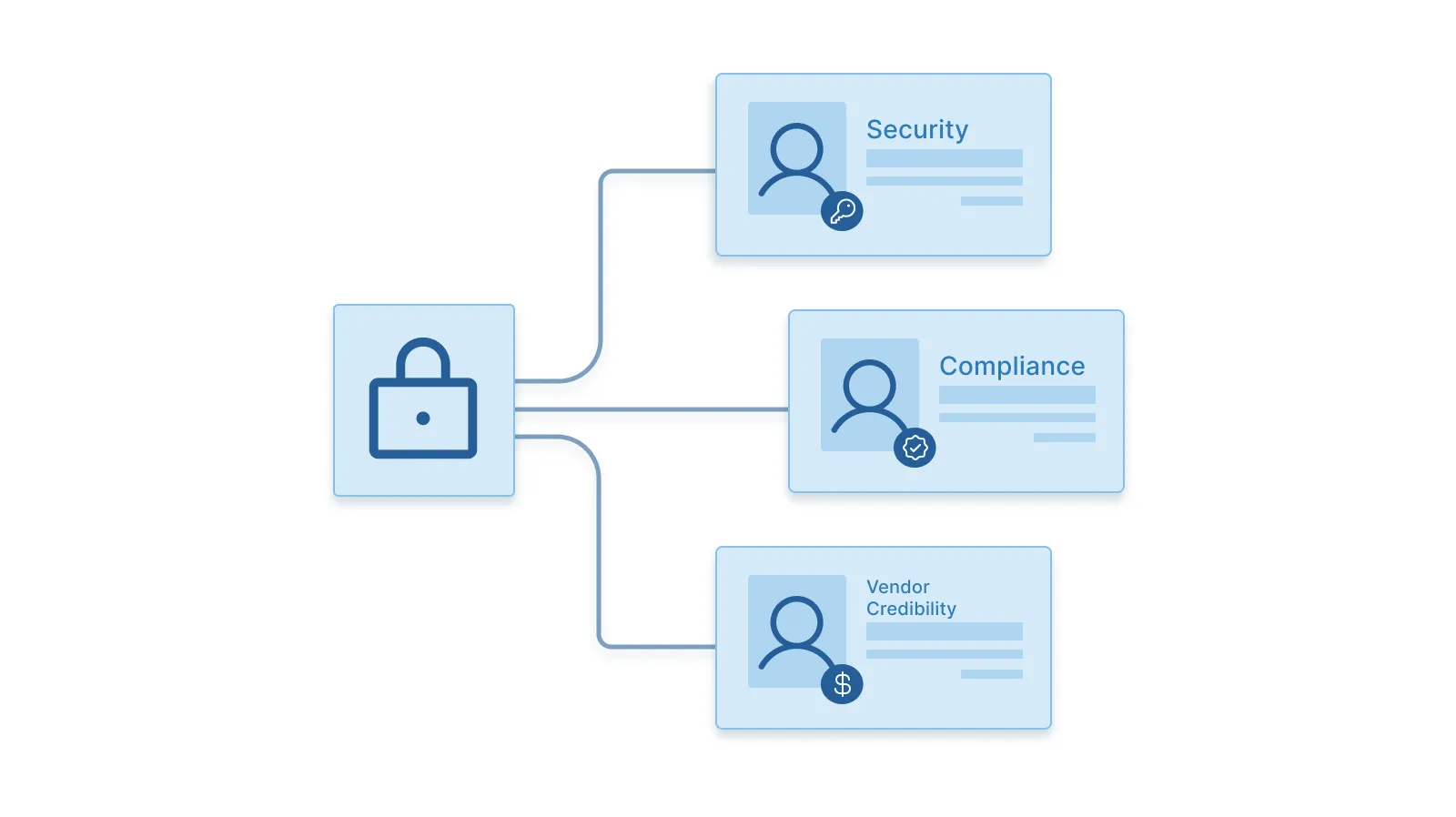
Accounting data is sensitive, so security cannot be an afterthought. At a minimum, expect encryption at rest and in transit, role-based access controls, and clear data handling policies.
Beyond technical safeguards, look at the vendor’s track record. Tools trusted by accounting firms or used in regulated environments usually reflect higher standards of reliability and support. You are not just buying software, you are trusting a system with your financial record.
8. Evaluate Usability, Support, and Track Record
Even strong AI accounting software fails if people avoid using it. Usability, onboarding, and vendor reliability decide whether the tool becomes part of daily operations or ends up ignored after a few weeks.
This is where many buying decisions break down. Demos look good, but real usage tells a different story.
9. Make Sure Non-Accountants Can Use It
AI accounting tools should reduce dependency on specialists, not increase it. Founders, ops managers, and finance leads should be able to review entries, approve transactions, and understand reports without learning accounting software inside out.
Look for clear dashboards, simple approval flows, and reports that explain numbers instead of just listing them. If basic actions require accounting expertise, the tool will slow teams down instead of helping them move faster.
10. Review Onboarding and Vendor Support
Good AI software needs context to work well. That makes onboarding critical.
Strong vendors offer guided setup, clear documentation, and hands-on walkthroughs using your own data. Live demos and real examples help confirm whether the tool handles edge cases in your workflow, not just ideal scenarios.
Ongoing support also matters. When something breaks or looks off, you should be able to reach a human quickly, not wait days for responses.
11. Ask for Proof, Not Just Features
Marketing pages list features. What matters is performance in production.
Ask vendors for accuracy rates on transaction categorization and reconciliation. Request references from companies similar to yours in size or industry. If a tool claims high automation, it should be able to show where it succeeds and where human review is still required.
Evidence beats promises when choosing AI accounting software.
12. Measure Cost and ROI Before Scaling
AI accounting software should save more than it costs. That sounds obvious, but many teams skip this step and scale too fast based on feature demos. Measuring return early helps you avoid paying for automation that does not change outcomes.
This is also where expectations need to be realistic. The goal is not zero human work. The goal is less time spent on low-value tasks and fewer errors that show up late.
13. Compare Time Saved to Subscription Cost
Estimate how much time your team currently spends on manual bookkeeping, reconciliations, and review. Then compare that against what the AI tool claims to automate in practice, not in theory.
Many finance teams report meaningful time reduction once automation is tuned to their data. Faster closes, fewer corrections, and cleaner handoffs to tax advisors all add up. When those savings exceed the subscription cost, the tool is doing its job.
Also factor in indirect savings. Fewer mistakes mean less rework, fewer advisor hours, and less stress during audits or filings.
14. Pilot in a Controlled Scope First
Instead of rolling out across the entire finance function, start small. Choose one area where manual work is high and risk is manageable.
A controlled pilot might include:
- Automating accounts payable or month-end close for one or two entities
- Tracking close speed, accuracy, and review effort
- Collecting feedback from both finance and non-finance users
Once results are clear and confidence is high, expand usage gradually. This approach protects quality while letting you validate return before committing fully.
How Inkle Supports AI-Powered Accounting
Choose an AI accounting software that covers daily work, compliance, and reporting in one flow. This is exactly what Inkle does.
Inkle applies AI across the full accounting cycle, not just transaction entry. It automates routine bookkeeping, keeps books clean throughout the month, and prepares data in a format that is ready for tax and statutory filings.
Instead of stitching together multiple tools, finance teams work from a single system that connects bookkeeping, tax prep, and final filings. AI handles categorization, pattern detection, and early flags, while CPAs review edge cases before anything is finalized.
Inkle is designed for teams that need accuracy without building a large finance function.
Inkle’s key AI Accounting capabilities include:
- Native sync with QuickBooks, bank feeds, and payroll systems
- Automated categorization with clear flags for unusual entries
- Filing-ready reports supported by detailed audit logs
Book a demo with Inkle to see how AI-powered accounting can fit into your workflow.
Frequently Asked Questions
1. What is AI accounting software?
AI accounting software uses machine learning and data extraction to automate bookkeeping, reconciliation, and reporting. It reduces manual effort while keeping humans involved for review and decisions.
2. How do I know if an AI accounting tool is accurate?
Ask for real accuracy rates on transaction categorization and reconciliation. Also check how the tool handles low-confidence entries and exceptions.
3. Can AI accounting software replace my accountant?
No. AI reduces routine work, but accountants are still needed for review, judgment calls, and tax decisions.
4. How important are integrations when choosing an AI tool?
Very important. Strong, two-way integrations with banks, payroll, and accounting systems keep data current and reduce reconciliation issues.
5. Is AI bookkeeping secure?
Yes, when the vendor uses encryption, role-based access, and clear data handling policies. Always review security and compliance standards before adopting any tool.